Shoppable video sections, designed for your store
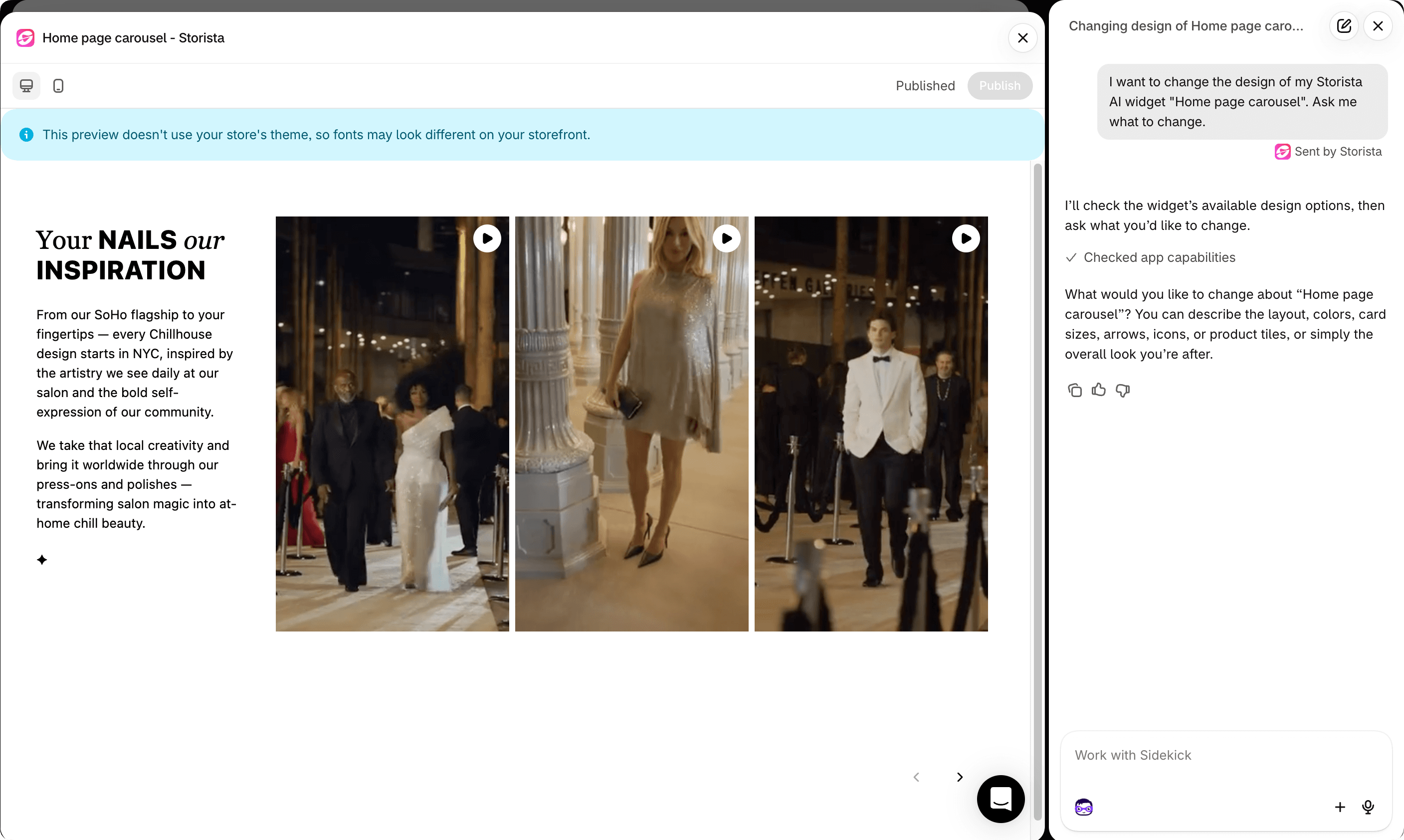
Tell Sidekick what you want. Get a video section in your brand's style, on your real products, ready to publish in minutes. No developer, no theme edits, no risk to your store.
Works inside the Shopify admin with Sidekick, or in Storista's own chat.
Live this afternoon, not next sprint
Describe it, check the preview, press Publish. No brief to a designer, no ticket for a developer, no waiting.
Looks like the rest of your store
Your colors, your corners, your layout, in your theme's fonts. Shoppers see your brand, not a widget that looks like every other store's.
Still sells, never breaks
Add to cart, variants, the full-screen player and analytics keep working whatever the design. Your theme can't break the widget, and the widget can't break your theme.
Your brand is custom. Your video section shouldn't be a template
You spent months getting your theme right. Then the video carousel drops in looking like it came from somewhere else, and shoppers notice.
Until now, closing that gap meant a designer, a developer, theme code and a round of testing every time you wanted a change. AI-designed widgets turn that into a conversation: say what you want, see it on your real videos and products, publish when it's right.
From "I want…" to live on your store in four steps
Describe it
Start from a carousel, spotlight or stories layout, or from scratch.
"Tall video cards with rounded corners, pink arrows, product name and price under each video."
See it on your products
The design appears in a live preview of the real widget, with your videos and your products, on desktop or mobile.
Keep talking
Each request edits the design you have. You never start over.
"Make the arrows bigger and put Add to cart inside the product card."
Publish when you're happy
Until you press Publish, every change is a draft only you can see. Your live store stays exactly as it is.
Show it instead of describing it
Attach up to three screenshots (a mockup from your designer, a section of your own site, a widget you like) and say "make it look like this".
Pick, don't explain
Some choices are easier to see than to describe. Ask to "change the arrows" and the designer shows you options with the actual icons. You just pick one.
Design it where you already work
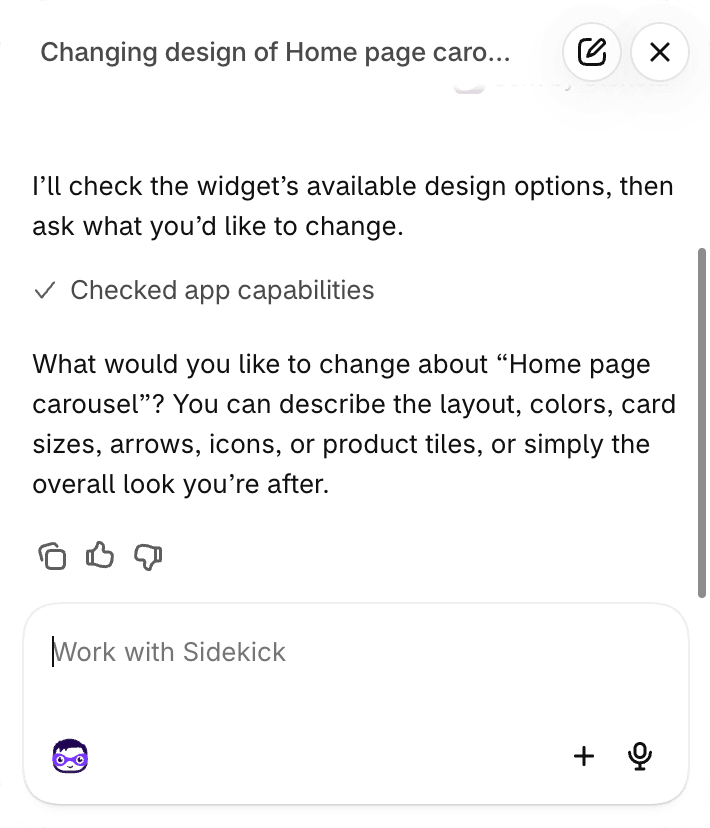
No new tool to learn. In the Shopify admin, Sidekick, Shopify's own AI assistant, designs your Storista widget for you.
- Press Customize with Sidekick on an AI-designed widget, or just ask Sidekick to change your Storista widget's design.
- Talk to it the way you'd ask it anything else. The Storista builder opens next to it and the change appears in the preview.
- You stay in control: Sidekick never publishes on its own. You review, you press Publish.
- No Sidekick? Storista's own chat in the builder does exactly the same thing.
An AI can write you a video section in an afternoon. Keeping it working is the hard part
A section pasted into your theme looks great on day one. Then it's yours to host, fix and maintain: every theme update, every new product type, every slow page. AI-designed widgets give you that freedom on top of infrastructure we keep running.
Your design. Everything we've learned since 2023
We've been polishing Storista on real stores since 2023: the player, the performance, Add to cart with every kind of variant, sold-out states, languages, analytics. AI-designed widgets keep all of it. The design is built on the same building blocks every Storista widget runs on, so you get a widget nobody else has, built on everything we know.
Keep the creative freedom of AI. Leave the plumbing to us.
Every detail shoppers see
Layout
A scrolling row, a centered spotlight with smaller neighbors, round story bubbles, cards of any size and shape.
Navigation
Arrow style, position and icon, dots, swipe-only on mobile, looping.
Video behavior
Play on hover, when visible, only the selected one, or posters only. Move to the next video when one ends.
Creators
Avatar, name and verified badge over the video.
Products
Name, picture, price and sale price over or under the video, with a link to the product page.
Add to cart
Inside the product card or under the video, with a variant picker for sizes and colors.
Style
Colors, corners, spacing, shadows, gradients, font sizes, hover and selected effects, and about 40 icons.
Why it's safe to let an AI design your widget
It never writes to your store
The designer only produces the widget's design. It can't touch your theme, products or settings.
Every design is checked
Outside scripts, outside images or overlays covering the page are rejected and redone before they reach your preview.
Drafts until you publish
Your live widget changes only when you press Publish.
Fast on your store
Compiled once when it's made and served from our CDN.
Questions about AI-designed widgets
Do I need Sidekick?
Can I add my own images, fonts or popups?
Why are product cards empty in my preview?
What if I don't like a change?
Which widgets can be AI-designed?
Will the Storista mark show?
Still stuck?
Your store, your video section, live today
Tell Sidekick what you want. We'll handle everything that keeps it fast, shoppable and working.
Shopify and Sidekick are trademarks of Shopify Inc.