Shoppable video your whole audience can use
Storista's widgets and player are built to WCAG 2.2 level AA: every tile, arrow and control is reachable by keyboard, announced to screen readers, and respects a shopper's reduced-motion setting. Captions come with the plan.
Nothing to configure. Accessibility behaviour ships with the app on every plan, including Free.
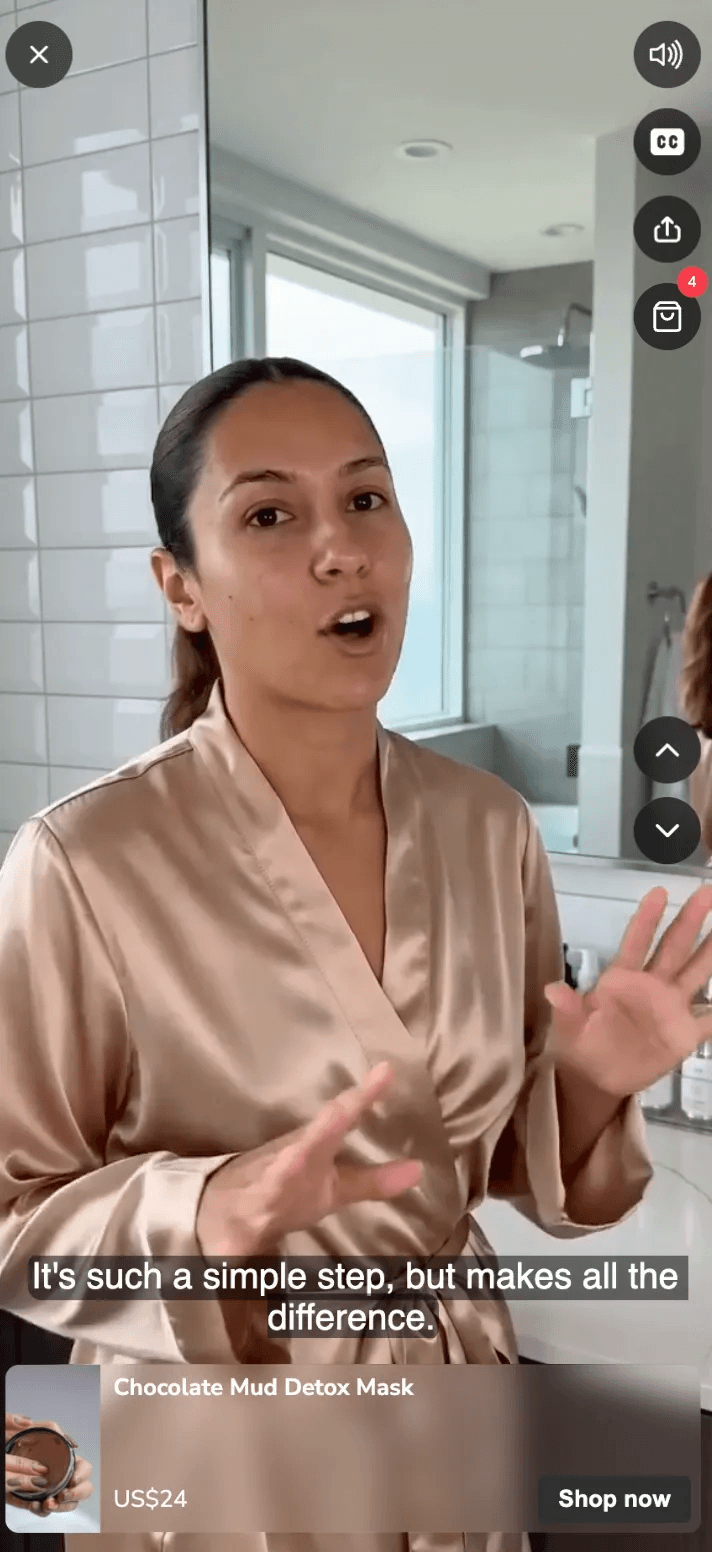
Built in, not bolted on
Accessibility cannot be a patch applied after launch, after keyboard and screen-reader users have already left. Below are four things every accessible shoppable video surface on Shopify should get right, and how Storista handles each of them from the first install.
Keyboard, end to end
Tab reaches every video tile, arrow, pagination bullet and add-to-cart button — one stop each, never a stop inside a stop. Enter or Space opens a video, Escape closes the player, and focus returns to the tile you came from.
Announced properly
Controls carry real names, not “button”: tiles are labelled with the post title, arrows say which direction they move, bullets report the slide they go to and which one is current. Decorative captions are hidden from screen readers so nothing is read twice.
Reduced motion honoured
When a shopper's system asks for reduced motion, auto-scrolling carousels and stories never start — the animation is not loaded at all, rather than started and stopped. Everyone else gets a pause control that stays paused until they resume it.
Targets you can hit
Close buttons, pause controls and pagination dots meet the 24× 24 px minimum target size, with a visible focus ring on every one of them.
Captions on every plan
Captions are essential for accessible shoppable video on Shopify: many people watch with the sound off, and deaf or hard-of-hearing customers depend on them. We cover them two ways: upload your own track for any video, or let Growth and Scale plans generate captions automatically.
Free and Starter
Upload your own captions
Attach a caption track to any video you publish. The player shows a captions toggle wherever a track exists, so shoppers who need captions — or who are watching with the sound off — get the words.
Growth and Scale
Captions generated for you, in 60 languages
Captions are transcribed automatically with a best-in-class speech model, which recognises 60 languages — so a video spoken in any of them gets a caption track in that same language, without you writing a word. You can still upload your own track whenever you'd rather control the wording.
Captions are a WCAG 1.2.2 requirement for prerecorded video. A video with no track — uploaded or generated — will still be flagged by an automated audit, so it's worth turning them on.
Every widget, not just the main one
Accessibility work that only covers the flagship carousel leaves most of a Shopify store’s shoppable video uncovered. Storista applies the same keyboard, labelling and focus rules to every format:
Carousel
One tab stop per tile with the post title as its name. Add-to-cart and the fullscreen product overlay are separate stops, never nested inside the tile.
Spotlight
Tile activation on the whole card, with the mute control kept outside it so the two never collide. Arrows are real buttons.
Stories and circles
Each circle is one labelled stop; the visible caption is hidden from screen readers so the name is announced once.
Video and carousel grids
Keyboard focus triggers the same preview that hover does, so keyboard users see what mouse users see. Load-more is a proper control.
Popup
The popup body and its close button are independent stops, and the close target meets the 24 px minimum.
Fullscreen player
Focus is trapped while the player is open, the rest of the page is hidden from assistive tech, and closing returns focus to where it started. Close, volume, previous and next are all labelled.
Audited, then re-audited
Claims need a method behind them. Ours comes from an automated axe scan of every widget plus a manual keyboard and screen-reader pass, re-run on each release, so your shoppable video on Shopify stays accessible release after release. Each audit cycle follows the same sequence
0
axe violations across all 9 widget types
Every widget is rendered from live store data and scanned against the WCAG 2.0, 2.1 and 2.2 A/AA rule sets plus axe's best-practice rules.
149
nodes checked for nested controls
The nested-interactive rule passes on all of them: no widget puts a focusable control inside another focusable control, which is the usual way video grids trap keyboard users.
36
rule groups passing document-wide
The whole-page scan reports zero violations, not just the widget markup in isolation.
Automated scans catch structural errors fast but cannot tell whether a video player makes sense to someone listening to it, so every release still gets a human check, not a yearly review.
What we don't claim
When it comes to accessible shoppable video on Shopify, here is what we don’t claim. Storista controls its own widgets and player, but some parts of a storefront sit outside our reach:
Colour contrast is yours to set
Widget text and control colours come from your own style settings, so a combination that fails the 4.5:1 contrast requirement is possible. Nothing in our code can guarantee it — pick colours that pass, and check them if accessibility is a compliance requirement for you.
Captions need a track to exist
The player shows captions wherever a track is present, and on Growth and Scale we generate one for you. A video with no track on Free or Starter has nothing to display, and an automated audit will flag it.
WCAG 2.2 AA is the target, not a certificate
We test against the 2.2 level AA criteria and publish what passes and what doesn't. That isn't the same as a third-party audit or a signed VPAT — if your procurement process needs one, talk to us about what we can share.
Your theme is part of the page
Storista is responsible for its own widgets and player. Heading order, landmarks, contrast and focus behaviour elsewhere on the page belong to your theme, and a store can fail an audit on those while every widget passes.
Accessibility questions
Which standard do you follow?
Do I need to configure anything?
How do captions work on each plan?
Can shoppers use the widgets without a mouse?
What happens if a shopper turns on reduced motion?
Will my custom CSS break accessibility?
Can you provide a VPAT or accessibility statement?
Still stuck?
Add shoppable video without adding a compliance problem
Install free and see the widgets behave on your own store — keyboard, screen reader and all.