 Built for Shopify
Shoppable Video
for Shopify
Add TikToks, Reels, and UGC to your Shopify store as shoppable video widgets. Tag products, let customers buy directly from video, and track every sale.





What are shoppable videos?
Shoppable videos are interactive video content with clickable product tags. A viewer watches a product demo, taps the tagged item, and adds it to their cart without leaving the video. No navigating to a product page, no searching, no extra steps.
For Shopify store owners, shoppable video connects two things that are usually separate: the content that gets people interested (TikToks, Reels, UGC) and the store where they can actually buy. Instead of hoping someone sees your video on Instagram and then finds your site, you put that same video on your store and make it directly purchasable.
The result is a shorter path from discovery to purchase. Fewer steps means less friction, and less friction typically means higher conversion rates and lower bounce.
How to add shoppable videos
to your Shopify store
Import your videos
Pull in content from Instagram Reels, TikTok, YouTube Shorts, or upload your own files. Your full video library in one place.
Tag products
Tag products directly on each video with inline add-to-cart. Pick a widget style and drop it on any page using Shopify's theme editor.
Sell from video
Customers watch, tap, and buy without leaving the video. Track views, clicks, carts, and sales from your analytics dashboard.
Carousels, stories, grids,
Drop ’em anywhere
Drop theme-friendly app blocks anywhere. Your content does the selling.
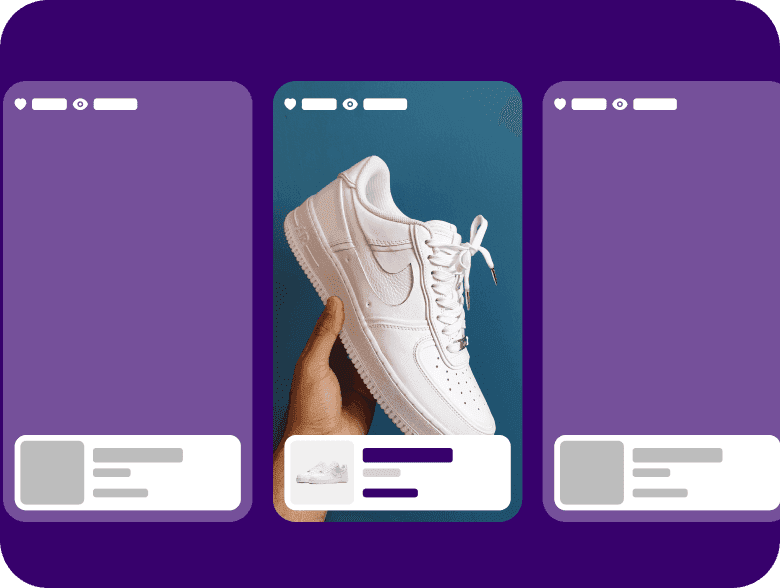
Show more videos, drive more clicks
Line up your best clips side-by-side to keep thumbs moving—ideal for PDPs and collections where shoppers compare fast.
Where to place shoppable videos
on your store
Product pages
Highest conversion impact. Place a shoppable video in the media gallery or below the product description. Customers see the product in action and add to cart from the same spot.
Homepage
Best for brand discovery. A carousel or stories widget on your homepage gives first-time visitors an immediate feel for your products and brand.
Collection pages
Underused but effective. A video carousel showing products from a collection can push visitors deeper into individual product pages.
Blog & landing pages
Embed shoppable videos inside content pages so readers can buy the products you're writing about without navigating away.
Shoppable video apps for Shopify
How the top Shopify shoppable video apps compare on pricing, features, and compatibility.
| Feature | StoristaRecommended | Videowise | Tolstoy | ReelUp | Quinn |
|---|---|---|---|---|---|
| Pricing | From $16/mo | From $19/mo + impression fees | From $19/mo + impression fees | From $10/mo + impression fees | From $35/mo + impression fees |
| Free plan | Shop app only | Shop app only | |||
| Impression fees | None | Yes | Yes | Yes | Yes |
| Video sources | TikTok, Instagram, Upload | TikTok, Instagram, YouTube, Upload | TikTok, Instagram, YouTube, Upload, AI | TikTok, Instagram, Upload | TikTok, Instagram, Upload |
| Widget types | Carousel, Stories, Grid, Spotlight, Pop-up | Carousel, Stories, Grid, Floating | Carousel, Stories, Hero, Tile | Carousel, Stories | Carousel, Stories, Grid |
| Analytics | Full funnel (views → sales) | Full funnel | Views & revenue | Basic (views, clicks) | Views & revenue |
| Built for Shopify | |||||
| Video codec | H264 (100% browsers) | HEVC + H264 | H264 | H264 | H264 |
Information gathered from public app listings and documentation. Last updated March 2026.
Tough Trucks for Kids: Big lift, zero overages
After switching from Tolstoy to Storista, they installed in ~30 minutes, avoided surprise traffic fees, and saw revenue from video jump fast.
128×
128× increase in revenue from video within the first week.
$950+
Saved $950+ switching from an expensive solution to Storista.

ToughTrucks
Still on the fence?
Here's some five-star feedback
Add shoppable videos to your Shopify store today
Install Storista from the Shopify App Store and start selling from video in minutes. Free plan available, no credit card required.